S.T.A.L.K.E.R. 2: Heart of ChornobylNo-code tool

Zone Mod Studio

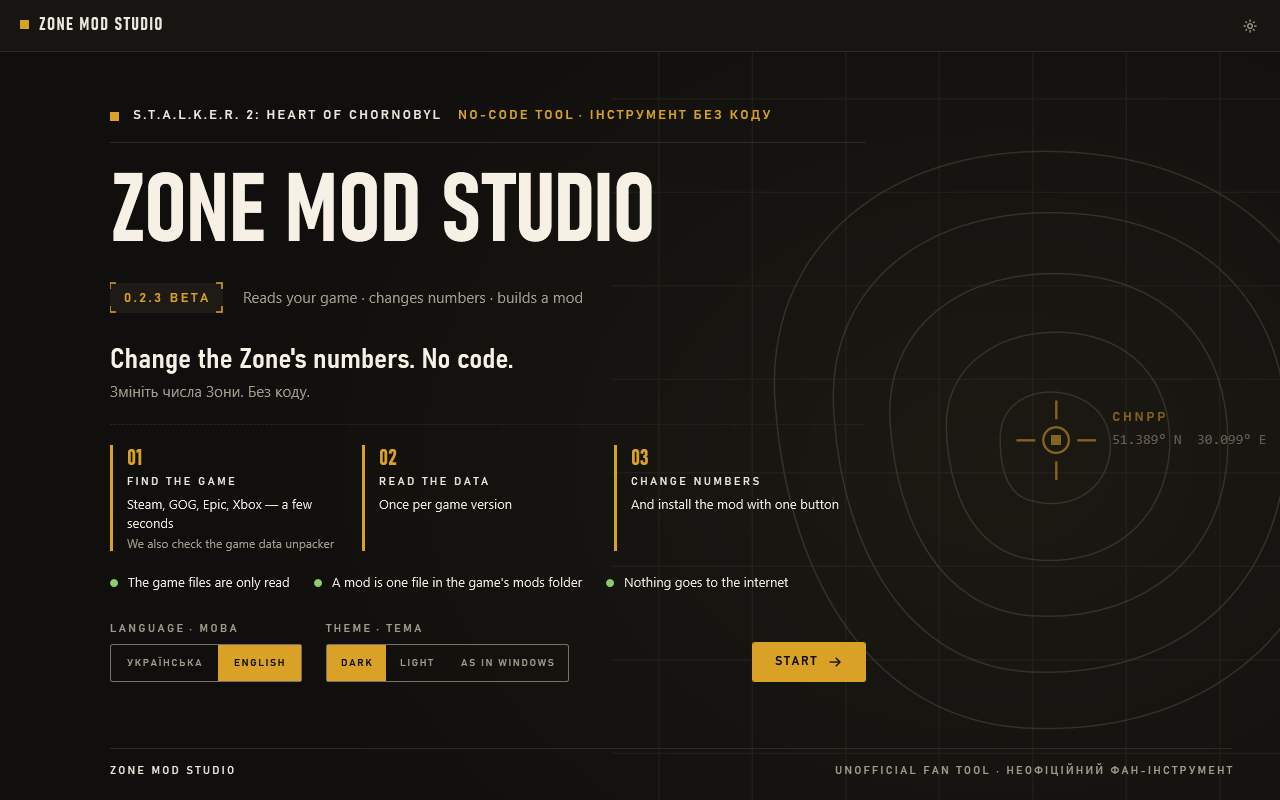
0.2.3 BetaReads your game · changes numbers · builds a mod

Change the Zone’s numbers. No code.

A free tool for Windows. Find a weapon, armour, item, NPC or trader, change the numbers, and Studio builds a small mod and installs it into the game. No coding, no Zone Kit.

SHA-25638bb9fb7…ac752d1ehow to verify

  • The game files are only read
  • A mod is one file in the game’s mods folder
  • Nothing goes to the internet

This is a beta. Reading the game, building and installing mods are tested on the developer’s PC. That a Studio mod changes values in the game is not confirmed yet: the first test on 4 October showed the magazine unchanged, and test mods are being checked now. What is proven and what is not: see Status.

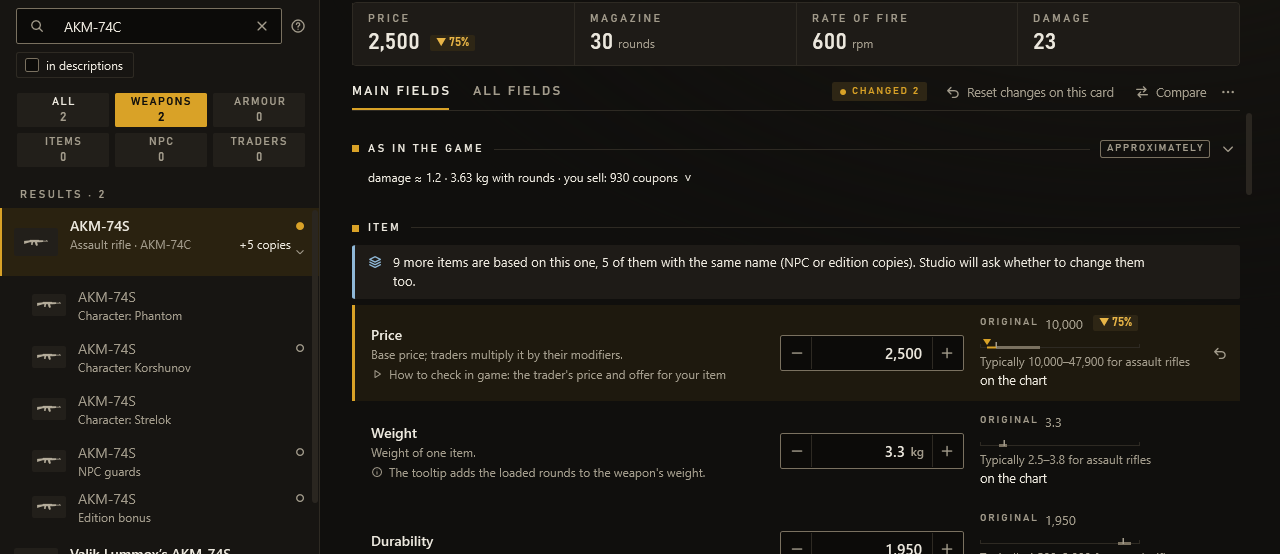
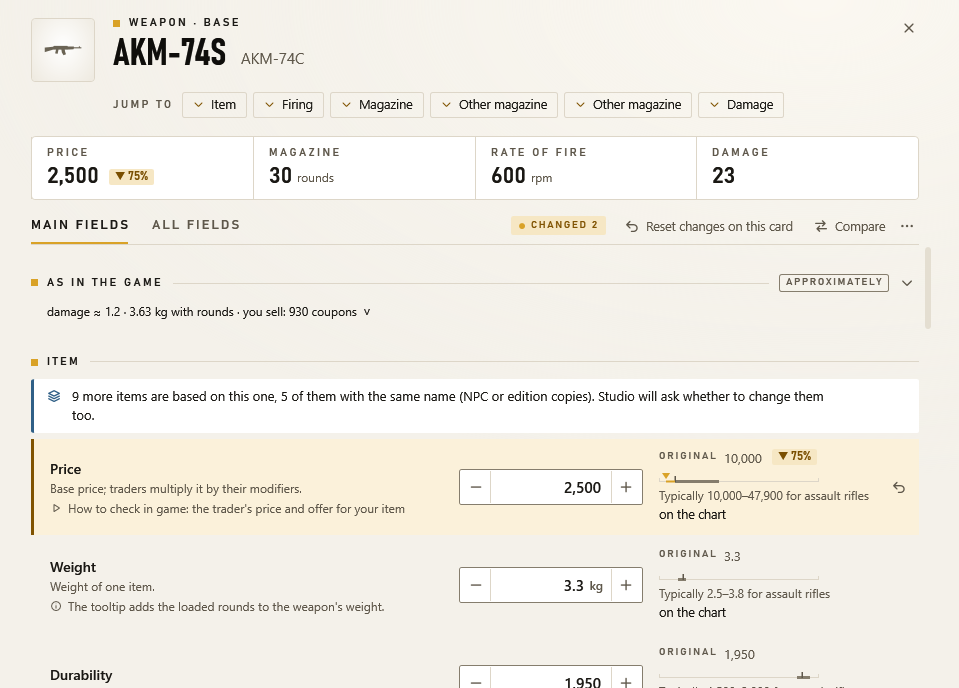
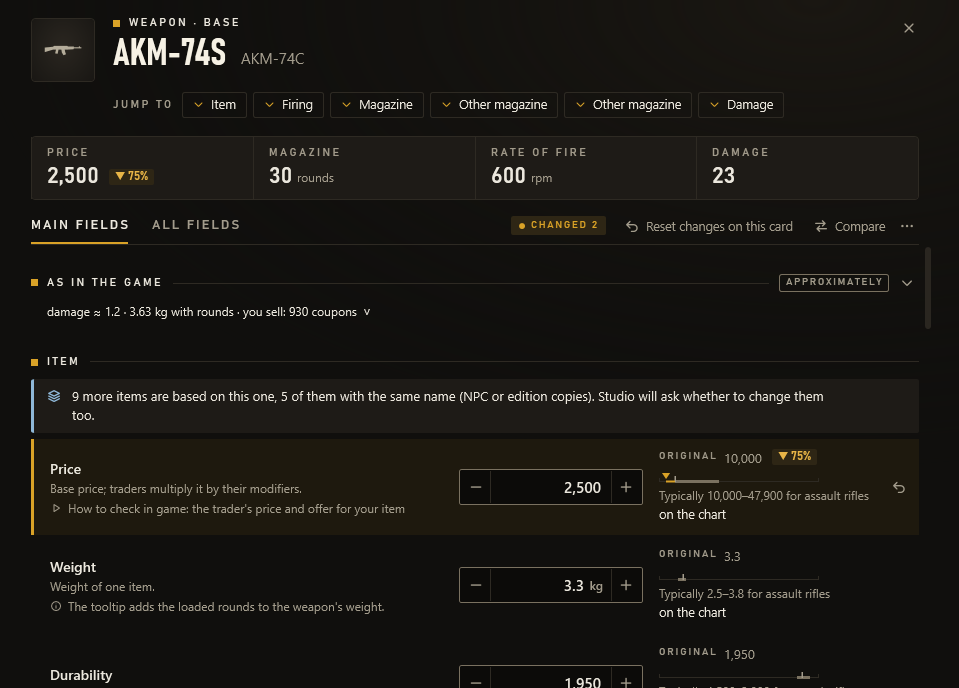
Open full size: The AKM-74S assault rifle card in Zone Mod Studio: price, weight and durability with − and + buttons, the game value next to each and the typical range for assault rifles.
A weapon card: your number, the game’s value and the typical range for the class.

How it works

Three steps to your own mod

  1. Find

    Studio finds your game and reads its data in a few seconds: weapons, armour, items, NPCs and traders, with names in English and Ukrainian.

  2. Change

    Search by name or by goal: “weight”, “magazine”. On the card, step numbers with − and + or type new ones; the game’s value is always next to them.

  3. Install

    One button builds a mod with only the changed fields and puts it in the game’s mods folder. One button removes it, too.

After installing, start the game, or restart it if it was open: the game reads mods only when it starts.

Features

What Studio does

Reads your game, not the Zone Kit

Studio finds the installed game and reads the data from your own disk once: the base game, the Cost of Hope DLC and the edition bonuses. That is about 13,661 records in a few seconds (2.4 s on the developer’s PC), with English and Ukrainian names taken from the game itself.

  • The data stays in a cache on this PC. After a game update, Studio offers to read it again.
  • No need for the Zone Kit, which takes hundreds of gigabytes.
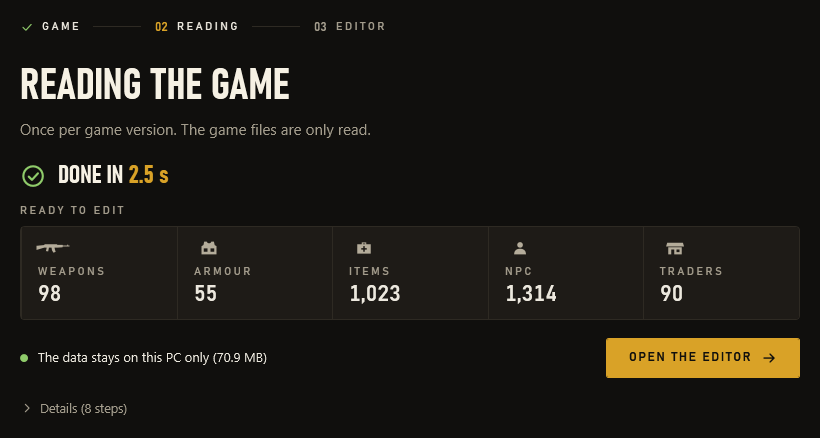
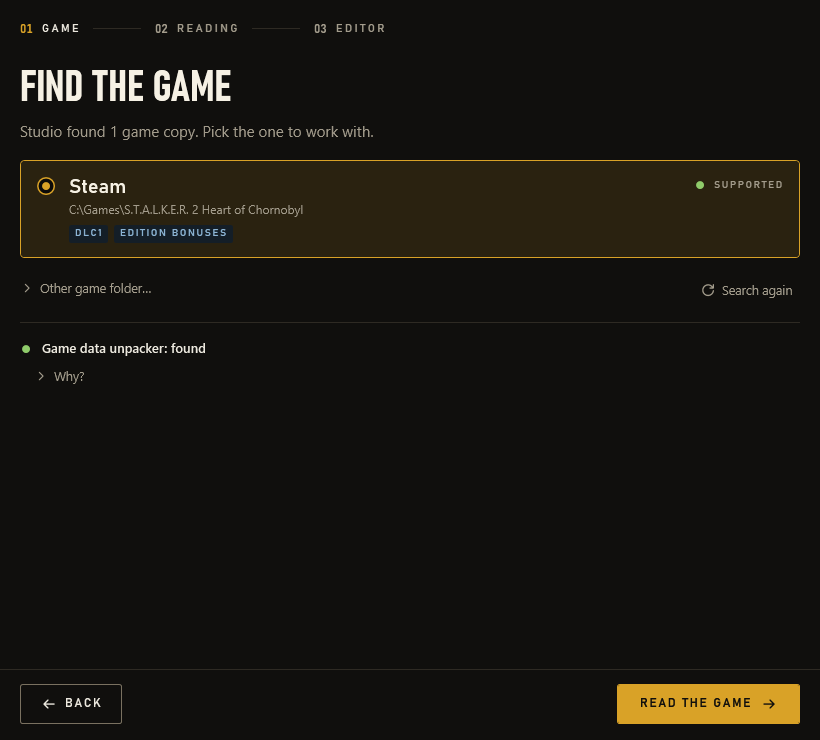
Open full size: The Reading the game screen: the data was read in a few seconds, and weapons, armour, items, NPCs and traders are ready to edit; the data stays on this PC only.
The game is read once per version: here in 2.4 seconds.

Numbers that make sense

Every number sits in a box with − and + buttons. Next to it you always see the game’s value, the typical range for that class (pistol magazines, say) and notes on where and when the change shows in the game.

  • Relative input in any box: ×1.2, /2, +10%.
  • A caution when you type 0 or change a value tenfold.
  • When copies for NPCs or editions are based on a record, Studio asks whether to change them too.
  • SIDs, paths and the exact file text appear only when you turn on “Technical names”.
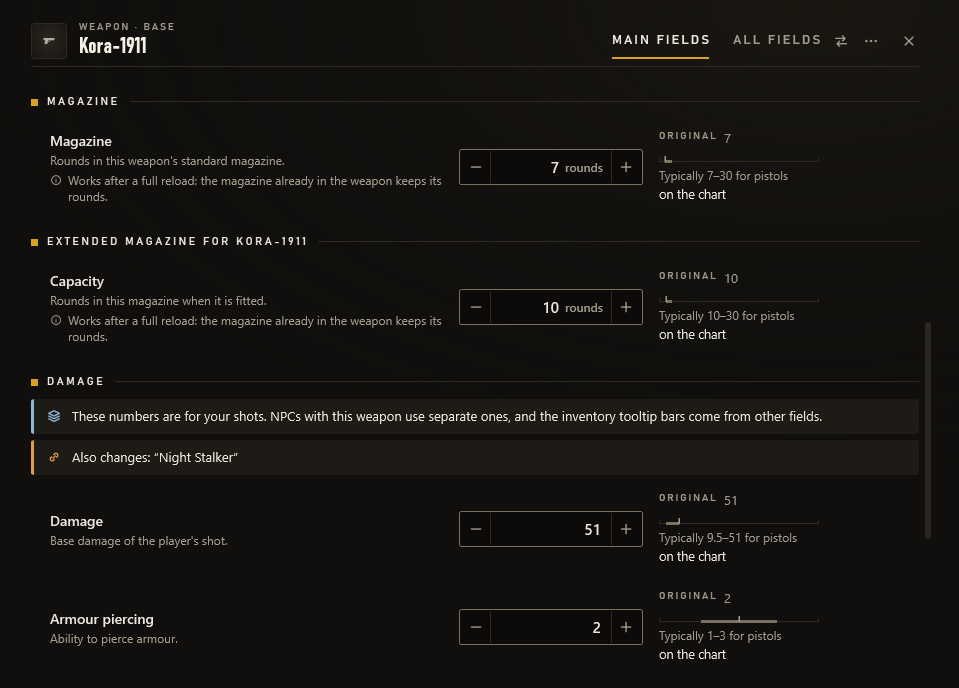
Open full size: The Kora-1911 pistol card: the standard 7-round magazine and the 10-round extended one, a note about the full reload, damage and spread with the typical ranges for pistols.
Kora-1911: the standard magazine and the extended one, each in its own row.

Compare and “Make the same…”

Open two records side by side, two assault rifles for example. The ← arrow takes a single value; “Make the same…” copies the chosen fields in one step, and one step undoes it.

Open full size: The AKM-74S and the AR416 compared: price, weight, durability, magazine, rate of fire, spread and damage side by side, with arrows that take a value across.
Two assault rifles side by side; the arrow takes a value across.

A small mod, one button

“Install to game” builds a Name_P.pak file with only the changed fields ({bpatch}) and puts it in the ~mods folder. While the game runs, Studio leaves that folder alone: it waits for the game to close, and you keep editing meanwhile.

  • My mods: update, roll back, move to the Studio bin, restore.
  • A backup before every replacement or removal.
  • Studio never changes other people’s mods, but shows when they touch the same records.
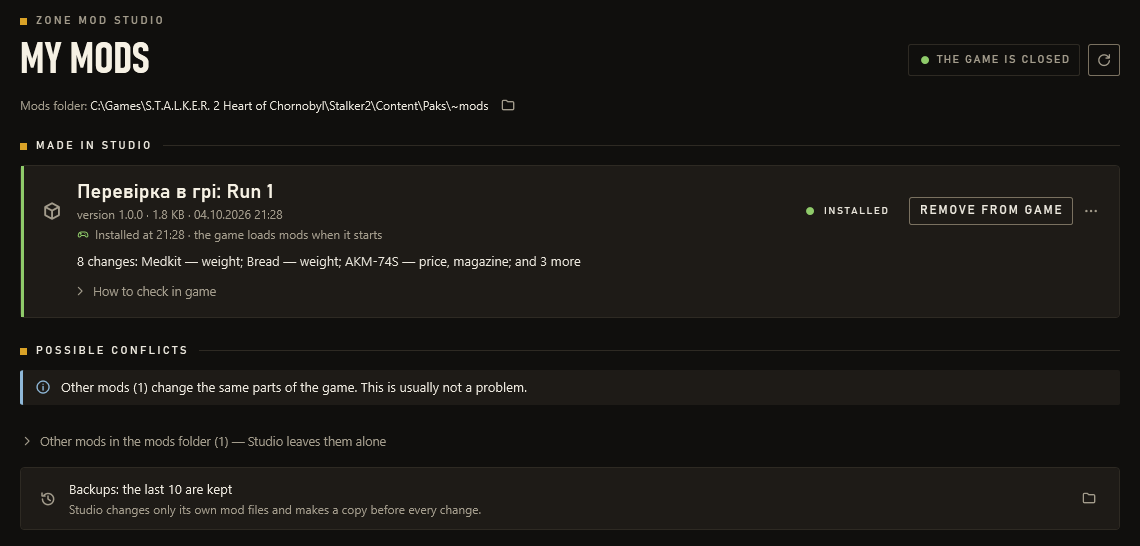
Open full size: The My mods page: a test mod is installed with 8 changes, a “Remove from game” button, possible conflicts with other mods and the backups.
My mods: what is installed, possible conflicts and the backups.

Did it work? Check in the game

After installing, Studio tells you where to look in the game and what should change: weight in the inventory tooltip, the magazine after a full reload, trader stock after the trader restocks. You answer yes or no and get advice.

  • “Did the game pick up the mod?”: Studio reads the game’s log on this PC, read-only, and tells you whether the game opened the mod file.
  • Your answers stay on your PC.
Open full size: The “Check in the game” wizard, the “In the item tooltip” group: SEVA Suit radiation protection 60 → 75, Bread weight 0.2 → 1.4 kg, Medkit weight 0.1 → 0.75 kg; each row has Yes, No and Not found answers.
The in-game check: where to look and what should change.

And also

  • History and checkpoints

    Every change with its time and name. Ctrl+Z and Ctrl+Y work even after a restart, and Studio saves a checkpoint on every install.

  • Switch off, don’t delete

    A switched-off change stays in the mod but is not built into the file. One click turns it back on.

  • Share a mod

    As a .zmsmod file or a ZMSMOD1:… text code for a message, without the game’s numbers or your PC’s paths. The receiver sees the originals from their own game.

  • Open someone else’s mod

    Studio turns a {bpatch} mod from a .pak, .zip, .cfg or folder into a new mod of yours. It never changes the original.

  • Traders Experimental

    The “buys from you” and “sells to you” multipliers, plus stock: the minimum, maximum and chance of each item.

  • Command line

    zms.exe does the same without a window: search, edit, build, install.

  • Portable mode

    Put an empty portable.txt next to the program, and all data is kept in a data folder beside it.

  • Two languages, two themes

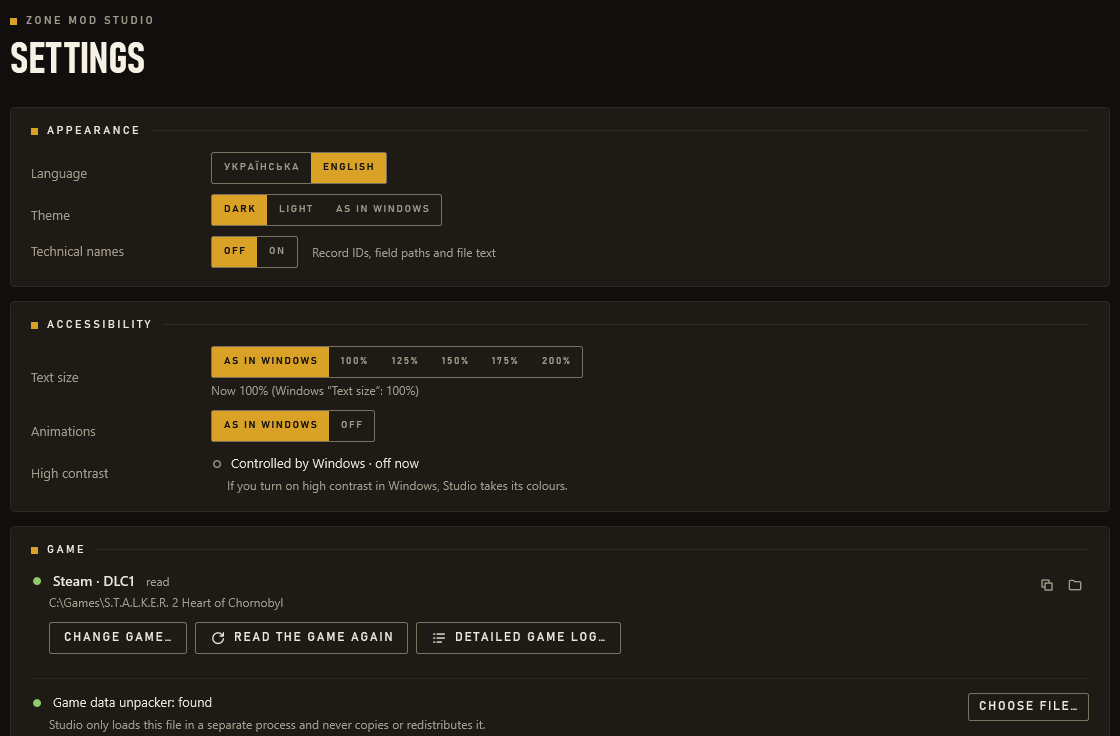
    English and Ukrainian, dark and light. Switch any time.

Safety

Your game stays yours

These rules are built into the program itself.

  • The game files are only read

    The only file Studio writes into the game folder is its own mod in ~mods.

  • Nothing goes to the internet

    No telemetry. Game data stays in a cache on your PC, and Studio only reads the game’s log to see whether the game opened the mod.

  • Backups

    Studio makes a copy before every replacement or removal of a mod. The last 10 are kept.

  • Hands off while you play

    While the game runs, Studio does not touch mods: it waits for the game to close and installs then.

  • One file, one button

    A mod is a single file, and one button removes it. Studio never changes other mods in ~mods.

  • Nothing borrowed in the zip

    The program contains no game files and no Oodle decompressor: Studio uses what is already on your PC.

Requirements

What you need

System
Windows 10 (1903 or later) or Windows 11, 64-bit. .NET Framework 4.8 is already part of Windows.
Game
S.T.A.L.K.E.R. 2: Heart of Chornobyl installed. The Steam version is tested; Studio can also find GOG, Epic and Game Pass installs, but they are not tested yet.
Oodle
An Oodle decompressor (oo2core*.dll) somewhere on the PC. Studio finds it itself: Epic’s Unreal Engine and Zone Kit include one, and so do some games. If there is none, Studio explains what to do. More about Oodle
Disk
About 75 MB for the game data cache; the program itself is about 2.5 MB.

The program is not signed, so Windows may show SmartScreen. Click “More info” → “Run anyway”.

Status

Honestly: what is tested and what is not

Zone Mod Studio is a beta, and we say plainly what is not proven yet. As of 4 October 2026.

Tested

on the developer’s PC: Steam, game 2.0.6, Cost of Hope DLC

  • Reading the game: base game, DLC and editions, names in English and Ukrainian.
  • Building the mod in the same format as the author’s other mods that already work in the game.
  • Installing, updating, rolling back and removing mods with backups; waiting for the game to close.
  • The game opens Studio’s mod file: its own log shows it.
  • More than 380 automated tests and a UI check before every release.

Being checked now

with test mods in the game itself

  • Whether changes to existing game records work in the game at all: none is confirmed yet. Test mods for several kinds of change are being checked now.
  • The magazine. The first real check on 4 October found the HUD unchanged. According to the game’s code, the capacity comes from the magazine itself, not from the weapon record; 0.2.2 changes the magazine, and that fix is waiting for its in-game check too.

Not tested yet

  • GOG, Epic and Game Pass: there are no copies to test on yet.
  • DLC and edition records, trader stock and percent values: marked Experimental; there is no in-game test for the DLC yet.

Planned

once the in-game check confirms the basics

  • Bulk changes by filter, such as all pistols ×1.2, with a before → after preview.
  • Dedicated pages: game rules (difficulty), player (stamina, carry weight), mutants, traders.
  • Recipes for popular mods: one question, “how many times?”, instead of dozens of fields.

Roadmap

  1. 0.1.0

    The first beta

  2. 0.1.1

    A new look

  3. Now

    Prove in the game that changes work

FAQ

Questions and answers

Windows says “Windows protected your PC”. Is it dangerous?

That is how Windows treats programs without a digital signature, and Studio is not signed yet. Click “More info” → “Run anyway”.

To make sure the zip is the right one, compare its SHA-256 with the one on the download page.

Studio says there is no Oodle decompressor. What now?

S.T.A.L.K.E.R. 2 compresses its data with Oodle by Epic Games, but the game has no separate decompressor file. Studio cannot ship one: the file belongs to Epic.

Such a file (oo2core*.dll) comes with Unreal Engine and the Zone Kit, free but large programs from Epic, and with some other games.

  • Studio finds and uses files from Epic on its own.
  • A file from another game is used only after you confirm it: whether that game’s licence allows this use has not been checked.
  • If no file is found, Studio shows the options and a “Choose file…” button.

Will a mod break my saves?

Studio mods only change the numbers of existing records and add no new items, so removing a mod should not harm your saves. But this is a beta: make a separate save before you check, so you can go back to it.

The game keeps some values in the save itself. For example, the rounds already in a magazine stay until a full reload.

Is this allowed? What does GSC say?

GSC Game World officially supports S.T.A.L.K.E.R. 2 modding: it released the Zone Kit and guides, including how to make cfg mods. Zone Mod Studio makes exactly such cfg mods, text changes in the ~mods folder, just without code.

It is an unofficial fan tool: GSC did not make, review or endorse it.

What can’t Studio do?

Studio changes the numbers of records that already exist. It does not make new items, models, textures, quests or locations; that is what the Zone Kit is for.

Carry weight, stamina, repair, stashes and difficulty cannot be edited yet: search and the goal tiles mark them “Not in Studio yet”. They are planned.

All questions
0.2.3 Beta

Download Zone Mod Studio

A free beta for Windows 10 and 11. No installer: unzip the archive and run the program.

Download0.2.3 beta · ZIP · 1.0 MB · Windows 10/11

ZoneModStudio-0.2.3-beta-win64.zip · 1.0 MB ·

Install steps, requirements and SHA-256